 Zombie Couple
Turn yourself into a zombie: filter or film?
There are two ways to see yourself as a zombie with AI, and they answer different wishes.
- A zombie photo filter takes one selfie and paints rotting skin, white eyes and wounds onto it. You get a still picture, often for free, in seconds. Good for a profile picture or a Halloween joke.
- A zombie video puts the zombie version of you in a moving scene with another person. You get a 10-second clip with a story: the standoff, the moment they recognize you, the hug. Good for posting, for a partner, for a friend who swears they would never leave you.
This site makes the second kind. If a still picture is all you want, a filter will do the job faster and cheaper.
What your zombie self looks like here
The generator asks the video model for a zombie that is still clearly you: pale grey skin, dark veins on the neck and cheeks, a few scratches, torn and dirty clothes, and eyes that are sad but human. No missing jaw, no blood, no gore. The point is that the person holding the gun, and everyone watching, recognizes you in the close-up.
Examples: photo 1 turns into a zombie
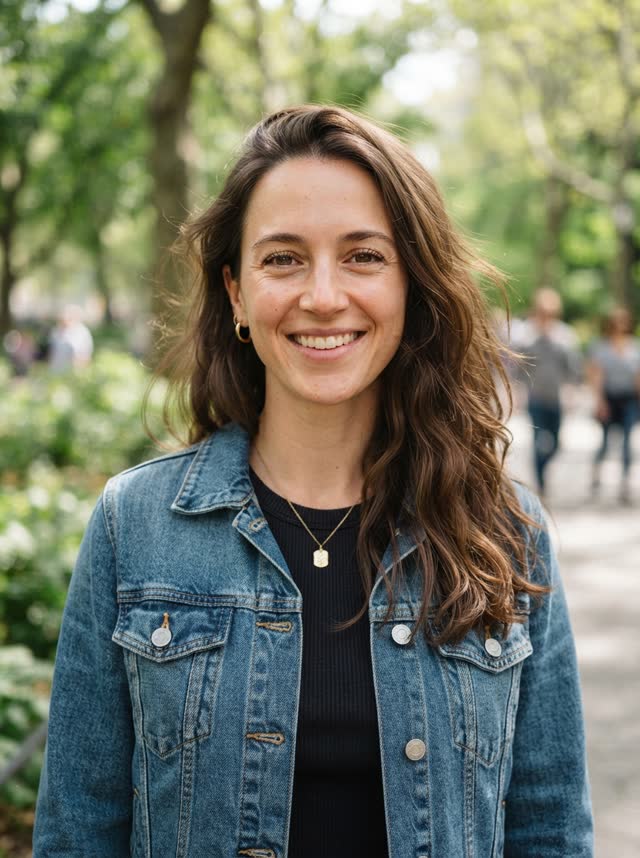
In both clips the woman in photo 1 is the one who turns and the man in photo 2 holds the gun. Both are AI-generated portraits of fictional people. Same photos, two takes from our generator.

How to turn yourself into a zombie with AI
- Upload your photo as photo 1. Photo 1 is always the one who turns.
- Upload the survivor as photo 2. Your partner, best friend or sibling, with their OK.
- Choose a format and generate. 9:16 for TikTok and Reels, 16:9 for YouTube, 1:1 for a feed post. You only sign in when you pay.
- Download in about five minutes. The video waits in the generator for 24 hours if you close the tab.
Tips to stay recognizable as a zombie
- Use a recent photo, face to the camera, in daylight. Small or angled faces are the main reason a zombie looks like a stranger.
- Skip sunglasses, hats that shade your eyes, and beauty filters. The eyes carry the whole close-up.
- Wear something you would be recognized in. In our samples the AI kept the outfit from the photo (a denim jacket, a necklace) and only roughed it up.
- Face looks right but you don't love the take? Every render re-stages the scene, so simply run it again.
Curious where this all started? Read about the AI zombie trend, or see how the ending works on our zombie AI hug page.
Turn yourself into a zombie: FAQ
Can I turn myself into a zombie with only my photo?
Not in our generator. The story needs two people: you as the zombie and someone facing you with the gun, so it asks for two photos. A friend, partner or sibling who agreed to be in it works. If you only want a zombie picture of yourself, a photo filter is the better tool.
Is there a free AI zombie filter?
Yes, several websites and apps turn a selfie into a zombie picture for free. That is a different product: one still image of one face. Our generator makes a 10-second video story with two people, and it is paid because every render uses real GPU time.
Will I still look like me as a zombie?
That is the goal. The prompt asks for grey skin, dark veins and torn clothes but keeps your face, hair and eyes recognizable, because the story only works if people know who the zombie is. A sharp, front-facing photo helps the most.
Can I be the survivor instead of the zombie?
Yes. Put your photo in the photo 2 slot, or press Swap before you generate. Photo 1 always turns, photo 2 always holds the gun.
Is it gory?
No. Zombie makeup, a tense standoff and a hug. No blood, no gore, and nobody gets shot.